
Tag: PowerShell

Sneaky Active Directory Persistence #12: Malicious Security Support Provider (SSP)

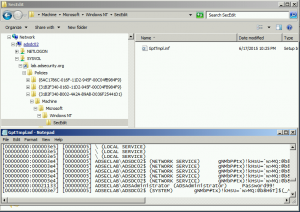
The content in this post describes a method by which an attacker could persist administrative access to Active Directory after having Domain Admin level rights for 5 minutes. I presented on this AD persistence method in Las Vegas at DEF CON 23 (2015). Complete list of Sneaky Active Directory Persistence Tricks posts   The Security …
Continue reading

Kerberos Golden Tickets are Now More Golden

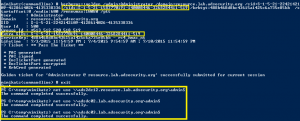
At my talk at Black Hat USA 2015, I highlighted new Golden Ticket capability in Mimikatz (“Enhanced Golden Tickets”). This post provides additional detailed on “enhanced” Golden Tickets. Over the past few months, I researched how SID History can be abused in modern enterprises. As part of this research, I reached out to Benjamin Delpy, …

Continue reading

PowerShell Encoding & Decoding (Base64)

PowerShell provides an easy method for Base64 encoding and decoding. Encoding: $Text = ‘This is a secret and should be hidden’ $Bytes = [System.Text.Encoding]::Unicode.GetBytes($Text) $EncodedText =[Convert]::ToBase64String($Bytes) $EncodedText The result is this base64 encoded text: VABoAGkAcwAgAGkAcwAgAGEAIABzAGUAYwByAGUAdAAgAGEAbgBkACAAcwBoAG8AdQBsAGQAIABiAGUAIABoAGkAZABlAG4A Decoding: Decoding the base64 encoded blob using PowerShell is simple. $EncodedText = “VABoAGkAcwAgAGkAcwAgAGEAIABzAGUAYwByAGUAdAAgAGEAbgBkACAAcwBoAG8AdQBsAGQAIABiAGUAIABoAGkAZABlAG4A” $DecodedText = [System.Text.Encoding]::Unicode.GetString([System.Convert]::FromBase64String($EncodedText)) $DecodedText    

PowerShell: Find All Users in Active Directory the Optimal Way

Today I Learned (TIL) that the best way to find all users in Active Directory via LDAP query is to search for: (samAccountType=805306368) and NOT: (&(objectClass=user)(objectCategory=person)) Reference: http://www.selfadsi.org/extended-ad/search-user-accounts.htm

Active Directory Replication Overview & USN Rollback: What It Is & How It Happens

If you have experienced event id #2095, then you understand how a USN Rollback can negatively affect AD consistency. What is a USN? The USN (Update Sequence Number) is an Active Directory database instance counter that increments every time a single change is committed to the AD database on a Domain Controller. The USN is …

Continue reading

PowerShell Code: Check KRBTGT Domain Kerberos Account Last Password Change

From my GitHub Repo: Get-PSADForestKRBTGTInfo  This function discovers all of the KRBTGT accounts in the forest using ADSI and returns the account info, specifically the last password change. Currently, the script performs the following actions: * Queries a Global Catalog in the Active Directory root domain for all KRBTGT accounts in the forest by querying …

Continue reading

Mandiant MIRCon 2014 Presentation Slides

Using some Google-Fu, I was able to find some MIRCon 2014 presentation slides (sorry, no videos yet). Mandiant MIRCon 2014 Presentation Slides: R&D Track: An Insight into Symbiotic APT Groups IR Track: The Best and Worst APT Malware OSX Malware Plists, Shell Scripts and Object-C Oh-My!  APT Detection with Whitelisting and Log Monitoring Management Track: …

Continue reading

Hyper-V How to install integration services when the virtual machine is not running

From Microsoft’s Virtualization Blog, How to install integration services when the virtual machine is not running: We’ve been talking to a lot of people about deploying integration services (integration components) lately.  As it turns out, they’re pretty easy to patch offline with existing Hyper-V tools. First, why would you update integration services on a not-running …

Continue reading

PowerShell and Ambiguous Name Resolution (ANR) Search in Active Directory

I was recently asked how to find a user when you have data that may be the SamAccountName or in another attribute. My first thought was leveraging Ambiguous Name Resolution (ANR) Search in Active Directory. ANR enables you to find a user when you have some information about a user, but don’t know exactly to …

Continue reading

Using PowerShell to Perform a Reverse DNS Lookup in Active Directory

Typically, one would use ping -a to get the hostname for a specific IP address which performs a DNS reverse lookup. Querying AD for a computer with an IP works great for computers joined to the Active Directory domain since most computers in AD have the IP Address configured on the computer account. When the …

Continue reading

Load more