
Category: PowerShell

Active Directory Security Tip #7: The Tombstone Lifetime

The Tombstone lifetime (TSL) in Active Directory is the limit as to how long a deleted object can remain in AD. The original value was 60 (days). Windows versions since Windows 2003 SP2 have this set to 180 (days). Note that this also affects backups, how long a backup is valid and replication – if …

Continue reading

Active Directory Security Tip #6: Domain Controller Operating System Versions

Ensuring proper Domain Controller configuration is key for Active Directory security. Part of this is making sure they are running supported versions of Windows. At this point, DCs should be running at least Windows Server 2016, preferably Windows Server 2019 or 2022. Hold off on deploying Windows Server 2025 DCs for now due to the …

Continue reading

Active Directory Security Tip #5: The Default Domain Administrator Account

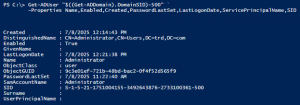
In every Active Directory domain, there’s the default domain Administrator account. Here are some key items to check: PowerShell for current domain using the AD PowerShell cmdlets:

Active Directory Security Tip #4: Default/Built-In Active Directory Groups

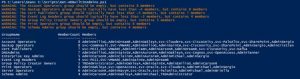
There are several default/built-in privileged groups that should be reviewed: https://learn.microsoft.com/en-us/windows-server/identity/ad-ds/manage/understand-security-groups PowerShell Script leveraging the Active Directory PowerShell module: https://github.com/PyroTek3/ActiveDirectory/blob/main/Get-ADBuiltInAdmins.ps1

Active Directory Lab Build Script

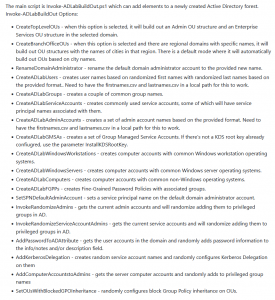
Over the summer, I rebuilt my Active Directory lab environment with multiple regional domains. Instead of manually configuring common issues, I decided to create a PowerShell script to do this for me.

Continue reading

Active Directory Security Tip #3: Computer Accounts

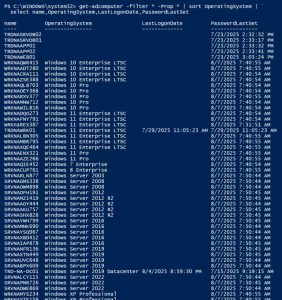
Active Directory computers should be reviewed about once a year. Old operating systems can hold back security progress like keeping SMBv1 and NTLMv1 active. Inactive computers should be discovered and disabled when no longer in use (and eventually removed). The OperatingSystem & PasswordLastSet attributes are self-explanatory, though we can use the LastLogonDate which represents the …

Continue reading

Active Directory Security Tip #2: Active Directory User Accounts

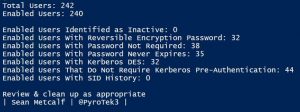
There are several different types of user accounts – at least how they are used. There are standard user accounts, service accounts, and admin accounts. There are numerous user account settings that can make them vulnerable. These configurations include: PowerShell code (using Active Directory PowerShell module):https://github.com/PyroTek3/ActiveDirectory/blob/main/Get-VulnerableUserAccounts.ps1

Active Directory Security Tip #1: Active Directory Admins

A critical part of Active Directory security is regularly reviewing your AD admins. The simplest way to do this is to recursively enumerate the membership of the domain Administrators group (that group’s members and all member group members). Check the AD Admins output for the following: PowerShell code (using Active Directory PowerShell modules):https://github.com/PyroTek3/ActiveDirectory/blob/main/Get-ADAdmins.ps1

PowerShell Security: PowerShell Attack Tools, Mitigation, & Detection

This post is a follow-up of sorts from my earlier posts on PowerShell, my PowerShell presentation at BSides Baltimore, and my presentation at DEF CON 24. Hopefully this post provides current information on PowerShell usage for both Blue and Red teams. Related posts: BSides Charm Presentation Posted: PowerShell Security: Defending the Enterprise from the Latest …

Continue reading

Load more